
Managed IT for a law firm is more than just tech support—it's a strategic partnership. You bring in a specialized provider to proactively manage and secure your entire technology infrastructure. This isn't about calling for help when a printer breaks; it’s about aligning your firm’s technology with its core business goals, ensuring uptime, protecting sensitive client data, and staying on the right side of compliance.
Simply put, this guide will show you how to turn IT from a reactive cost center into a proactive, strategic asset that helps you win cases.
Unpacking Managed IT for Your Law Firm
Think of a managed IT partner as your firm's outsourced general counsel for technology. Just as you provide expert legal guidance, they deliver specialized tech oversight, handling everything from daily operations to high-stakes crisis management. The immediate action for you is to stop thinking about IT as a cost and start treating it as a strategic function, freeing up your partners and associates to focus on what they do best: practicing law.
For law firms, the stakes are exceptionally high. A technology failure isn't just an inconvenience. It can mean missing a critical filing deadline, compromising attorney-client privilege, or facing massive reputational damage from a data breach.
From Reactive Fixes to Proactive Strategy
For too long, firms have relied on the "break-fix" model—you only call for help when something is already broken. This approach is not just inefficient; it's a huge risk. The actionable insight here is to shift your mindset from "break-fix" to proactive management. Instead of waiting for a server to crash during trial prep or for a laptop to get hit with malware, a managed IT partner works around the clock to ensure your systems are patched, protected, and optimized.
Here are the specific, actionable benefits of making that shift:
- Maximize Uptime and Billable Hours: Implement 24/7 monitoring to prevent downtime, ensuring your team has constant access to case files, research tools, and email.
- Fortify Data Security: Deploy advanced security measures to protect sensitive client information, a non-negotiable step to uphold your ethical obligations.
- Enable Secure Remote Work: Set up a secure infrastructure that allows your team to work effectively from the office, the courthouse, or home without ever compromising confidentiality.
A proactive IT strategy is no longer a luxury but a fundamental requirement for modern legal practice. The first actionable step is to audit your current IT support model. If it's reactive, it's a liability.
Let's look at how this approach directly solves some of the most persistent headaches in a legal practice.
How Managed IT Solves Core Law Firm Challenges
| Core Challenge in Law Firms | Actionable Solution Provided by Managed IT | Direct Impact on the Practice |
|---|---|---|
| Downtime & Missed Deadlines | Implement 24/7 proactive monitoring to detect and resolve issues before they cause outages. | Maximizes billable hours and ensures court filing deadlines are never missed due to tech failures. |
| Cybersecurity & Data Breaches | Deploy a layered security stack including EDR, managed firewalls, and threat detection. | Protects attorney-client privilege, client data, and the firm’s reputation from cyber threats. |
| Compliance & Regulatory Burden | Establish and manage data residency, encryption, and access controls to meet standards like NY SHIELD. | Reduces audit stress and ensures the firm meets its ethical and legal data protection duties. |
| Inefficient Manual Processes | Automate routine tasks like software updates, data backups, and security patching. | Frees up staff time, reduces human error, and allows attorneys to focus on legal work. |
| Unpredictable IT Costs | Transition to a flat-rate pricing model for all support, maintenance, and monitoring. | Creates a predictable monthly IT budget, eliminating surprise repair bills and capital expenses. |
This table shows it clearly: managed IT isn't just a service. It's a set of actionable solutions designed to make your practice more resilient, efficient, and secure.
Aligning Technology with Legal Operations
Ultimately, managed IT for law firms is about creating a technology environment that directly supports the business of law. Your action plan should ensure your document management system is rock-solid for e-discovery, your video conferencing tools are secure for client meetings, and your network can stand up to cyber threats.
By outsourcing these complex functions, you gain access to a deep bench of expertise that would be impractical and expensive to build in-house. It’s a strategic partnership ensuring your technology doesn't just work—it actively contributes to your firm's success. If you're curious, you can learn more about the all-inclusive benefits of managed IT support that go far beyond basic troubleshooting.
The Technology That Powers a Modern Law Firm
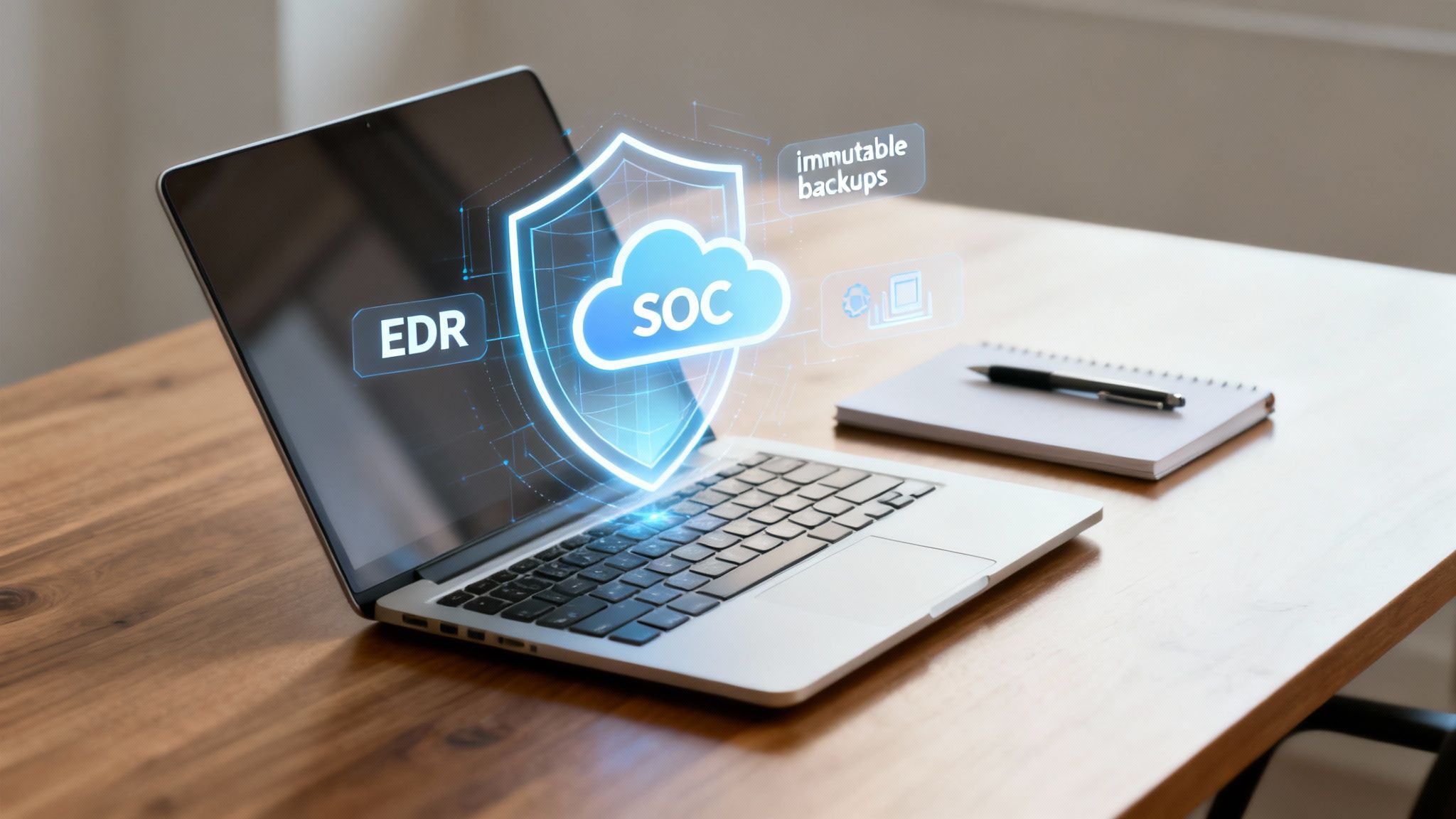
A modern law firm doesn't just run on legal expertise; it runs on a secure, resilient, and always-on technology stack. To protect client data, your firm must implement specific technologies. These aren't just technical buzzwords—they are the digital tools safeguarding your firm's reputation and your clients' most sensitive information.
Let's pull back the curtain on the essential technologies that form the foundation of a well-managed legal IT environment. Your action item is to review your current tech stack against this list to identify critical gaps.
Your Digital Security Guards and Surveillance Team
Traditional antivirus software is obsolete. It’s like having a security guard who only checks IDs at the front door but completely ignores suspicious activity happening inside the building. The actionable step is to upgrade your firm's endpoint protection from basic antivirus to Endpoint Detection and Response (EDR).
EDR is the proactive security guard for every single device in your firm—laptops, desktops, and servers. Instead of only blocking known viruses, EDR actively hunts for suspicious behaviors that signal a sophisticated attack in progress. For instance, if an associate's laptop suddenly starts encrypting files late at night, EDR flags this abnormal activity, isolates the device from the network to stop the threat from spreading, and alerts your IT partner immediately.
This kind of advanced protection is vital, especially since 79% of legal professionals are now using AI tools that can open up new security vulnerabilities if they aren't managed properly.
EDR acts as a 24/7 digital investigator on every machine. Implementing it is a concrete step to stop breaches before they compromise client confidentiality or disrupt your firm’s operations.
While EDR protects individual devices, a Security Operations Center (SOC) acts as your firm’s centralized digital surveillance team. It’s a team of cybersecurity experts who monitor your entire network around the clock. They analyze security alerts from all your systems—firewalls, servers, and EDR agents—to identify and respond to complex threats. A SOC provides the human expertise to interpret EDR alerts and take decisive action, a service you should ensure your IT partner provides.
Ensuring Recovery and Operational Continuity
Even with the best defenses, you must be prepared for the worst-case scenario. Ransomware attacks on law firms are on the rise, and your ability to recover quickly is non-negotiable.
Your immediate action is to verify that your backup strategy includes immutable backups. An immutable backup is a copy of your data that, once created, cannot be altered or deleted for a set period. It's like storing a copy of your most critical case files in a time-locked vault that even a cybercriminal with stolen credentials can't access. If your firm gets hit by ransomware, you can restore your data from these tamper-proof backups, completely sidestepping the ransom demand and minimizing downtime.
Of course, the tools your team uses every single day must also be configured for maximum security and efficiency.
- Secure Microsoft 365/Azure Configurations: Conduct a security audit of your Microsoft 365 tenant. Implement multi-factor authentication (MFA) immediately, configure data loss prevention (DLP) policies to stop sensitive client information from being emailed externally, and set up conditional access rules that block logins from high-risk locations.
- Modern Document Management Systems (DMS): If you are still using a basic shared drive, your action plan must include migrating to a legal-specific DMS. It provides granular access controls, detailed audit trails for e-discovery, conflict checking, and robust version control, creating a defensible chain of custody for all client data.
These technologies all work together to create a robust framework. With the right managed IT for law firms, this complex ecosystem is handled for you, turning what could be a massive liability into a powerful strategic asset for your practice.
Navigating Compliance and Confidentiality with an IT Partner
For a law firm, protecting data isn’t just a good idea—it’s an unbreakable ethical and legal promise. A data breach isn't just a technical problem. It’s an existential threat to your firm’s reputation and your fundamental duty to your clients.
A skilled managed IT partner takes compliance off a checklist and weaves it directly into your daily operations. They implement specific, actionable security controls to ensure every case file and client communication is wrapped in layers of proactive security.
Upholding Attorney-Client Privilege in a Digital World
In a world of digital files and remote access, protecting privilege means controlling exactly who sees what and making sure that data is gibberish to anyone else. Here are two actionable security models your IT partner must implement to make confidentiality the default setting.
- Implement Zero Trust Access Controls: Your firm should adopt the "never trust, always verify" security model. This means demanding verification from every user and device trying to access resources, regardless of their location. An associate logging in from a coffee shop should face the same tough security checks as someone in the office, dramatically shrinking the risk of a single compromised password causing a catastrophe.
- Enforce Robust Data Encryption: Ask your IT provider to confirm that all firm data is encrypted both at rest (stored on servers and laptops) and in transit (when sent over email or through cloud services). This scrambles your data, making it completely unreadable and useless to a cybercriminal, even if they manage to steal a file.
Building a Practical Cyber Incident Response Plan
Even the strongest defenses need a backup plan. A cyber incident response plan is your firm's playbook for a crisis. Your actionable step is to ensure you have a written, tested incident response plan. A good MSP doesn’t just write this plan and hand it to you; they help you operationalize it.
A well-structured response plan moves through clear, logical stages:
- Detection and Analysis: An EDR alert or suspicious login is immediately flagged and investigated by your provider's SOC to confirm if the threat is real.
- Containment: The MSP must immediately isolate affected computers or servers from the network to stop the attack from spreading and compromising more data.
- Eradication and Recovery: The threat is surgically removed, and your IT partner restores data from clean, immutable backups to get your firm back online with minimal downtime.
- Post-Incident Activity: A deep dive identifies the root cause, defenses are hardened to prevent a recurrence, and you are guided on notifying clients or regulators as required by law.
A well-rehearsed incident response plan transforms a potential catastrophe into a managed event. Your action item is to schedule a tabletop exercise with your IT partner to test your plan before a real crisis hits.
For firms operating in New York, the NY SHIELD (Stop Hacks and Improve Electronic Data Security) Act adds another layer of responsibility. An MSP specializing in legal IT will ensure your security posture—from access controls to employee training—is fully aligned with these mandates, turning compliance into a documented, verifiable reality.
Ultimately, a partnership focused on managed IT for law firms gives you the technical muscle to uphold your legal and ethical duties. To dig deeper, check out our guide on streamlining compliance with IT strategies for legal organizations in NYC.
Choosing the Right IT Partnership Model for Your Firm
Picking the right IT support structure is a critical business decision. It's about finding a partner that fits your firm's size, internal skills, and long-term goals. Get it wrong, and you could end up overspending or leaving massive gaps in your security.
The two main paths are fully managed and co-managed. Your first action is to assess your current in-house IT capabilities (or lack thereof) to determine which model is the right fit.
Fully Managed IT: Your Outsourced General Counsel for Technology
In the fully managed model, you hand over your firm’s entire technology operation to one expert provider. That partner takes complete ownership of everything from daily helpdesk tickets and network monitoring to long-term strategy and cybersecurity.
This model is a strong fit for:
- Small to mid-sized firms with no dedicated IT employees.
- New firms that want to build a secure and scalable IT foundation from day one without the overhead of hiring.
- Firms looking to simplify and roll all IT responsibilities into one predictable, flat-rate monthly fee.
Actionable Insight: If you have no internal IT staff and partners are wasting billable hours on tech problems, the fully managed model is your most direct path to operational efficiency.
Co-Managed IT: Augmenting Your In-House Team
Co-managed IT is a collaborative partnership. An external MSP works alongside your existing in-house IT staff, boosting their capabilities and filling in the gaps. It’s not about replacing your team; it's about reinforcing them.
Your internal IT manager can focus on immediate user needs, while the MSP brings in advanced tools, 24/7 monitoring, and niche expertise in areas like cybersecurity or cloud architecture. Curious about this approach? You can explore the benefits of co-managed IT services for growing businesses to see how it works in practice.
Co-managed IT empowers your internal team, preventing burnout and giving them access to enterprise-grade tools and a deep bench of expertise they couldn't access alone.
This partnership is a game-changer for firms that have an IT person but are hitting a wall:
- Mid-sized firms with a small, overwhelmed IT department struggling to juggle daily tickets and strategic projects.
- Firms needing specialized skills for cybersecurity, compliance, or cloud projects that are beyond what their generalist IT staff can handle.
- Practices wanting to keep an on-site IT manager for hands-on support while outsourcing complex, 24/7 security monitoring and backend maintenance.
Co-Managed vs Fully Managed IT: Which Model Fits Your Firm?
To make the best decision, use this table to compare the two models against the factors that matter most to your firm's operations and budget.
| Factor | Fully Managed IT | Co-Managed IT |
|---|---|---|
| Responsibility | The MSP assumes 100% responsibility for all IT operations, strategy, and security. | Responsibility is shared between your internal IT staff and the external MSP partner. |
| Best For | Firms with no internal IT staff who need a complete, outsourced technology department. | Firms with an existing IT person or team that needs specialized support and advanced tools. |
| Cost Structure | Typically a higher flat monthly fee, but it replaces the cost of hiring a full-time IT team. | A more variable cost, supplementing existing IT salaries with a focused service contract. |
| Scalability | Easily scales up or down as the firm grows, with the MSP handling all resource adjustments. | Provides flexible scalability for specific functions, like adding 24/7 security monitoring. |
Ultimately, the right choice depends on where your firm is today and where you want it to be tomorrow. Both models offer incredible value, but only one will be the perfect fit for your specific needs.
Your Roadmap for Onboarding a Managed IT Provider
Switching technology providers can feel like a high-stakes move, but a well-structured onboarding process turns anxiety into a predictable, step-by-step plan. A professional MSP that specializes in managed IT for law firms won't just flip a switch and hope for the best. Instead, they follow a clear roadmap designed to minimize disruption.
Your action is to insist on a provider that presents a clear, phased onboarding plan. It's all about enhancing your practice without interrupting billable hours.
Phase 1: Discovery and Deep-Dive Audit
The first step is a comprehensive assessment of your current IT environment. Your new provider acts like a digital detective, mapping out every piece of your infrastructure to hunt for risks and opportunities.
This phase must involve:
- Network and Security Assessment: A clear deliverable pinpointing vulnerabilities, outdated hardware, and misconfigurations.
- Software and Application Inventory: A complete list of all your legal-specific software (like Clio or NetDocuments) to ensure compatibility.
- Compliance Gap Analysis: An audit report measuring your current setup against regulations like the NY SHIELD Act.
This initial audit becomes the blueprint for the entire project. Action item: Do not sign a contract with any provider who does not perform this deep-dive audit first.
Phase 2: Strategic Planning and Security Hardening
With a complete picture of your environment, the MSP builds a tailored migration and security plan. This is where strategic decisions happen, like scheduling the final cutover for a weekend to avoid impacting court deadlines.
During this stage, your provider should start hardening your security posture before the full migration even begins. This often includes deploying advanced Endpoint Detection and Response (EDR) agents and setting up foundational security policies in Microsoft 365. This proactive approach immediately lowers your firm's risk profile.
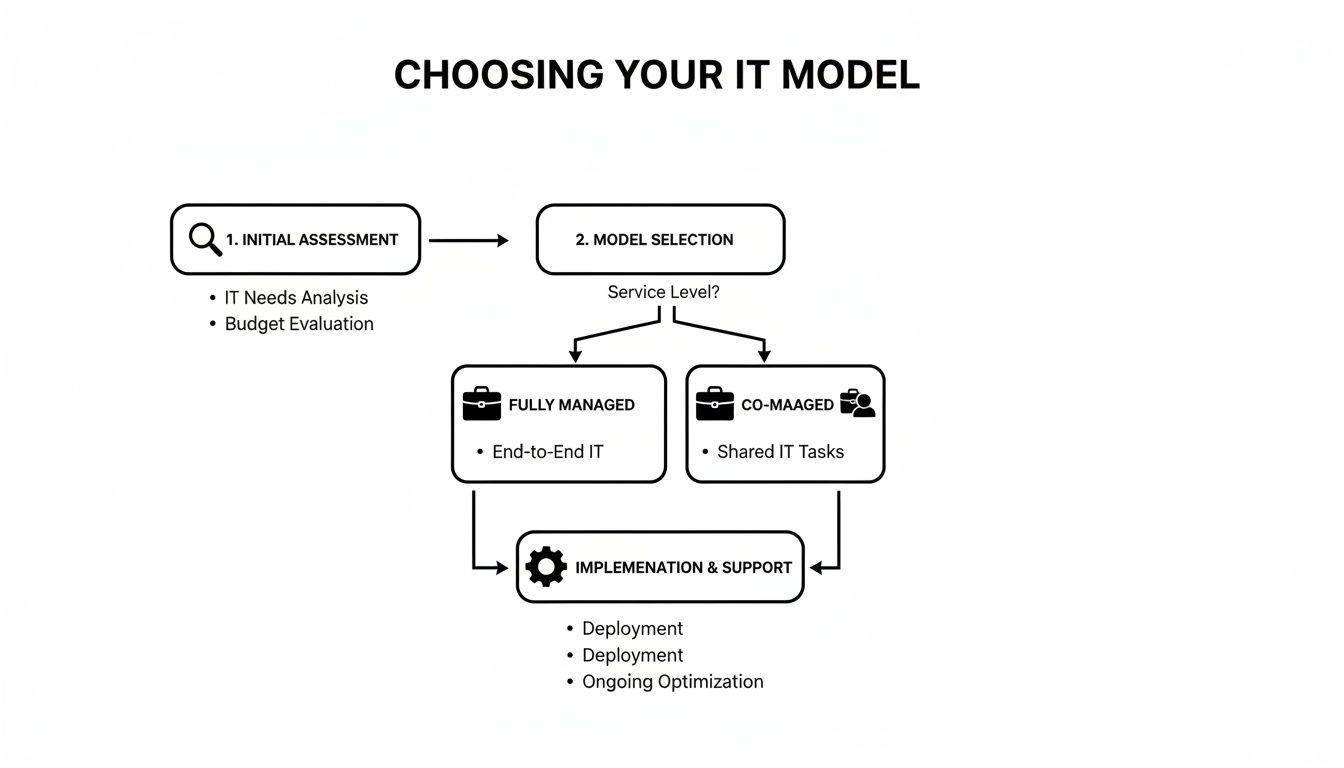
Phase 3: Migration and System Cutover
This is where the heavy lifting happens. The MSP’s engineers will work systematically through the project plan. This could involve migrating data to a new Document Management System (DMS), moving servers to a secure cloud environment like Azure, or completely reconfiguring your network.
The final cutover is meticulously planned. A good IT partner will have technicians on-site or on standby to provide immediate "go-live" support to your attorneys and staff, making sure everyone can log in and access their files without a hitch.
Phase 4: Training and Post-Launch Support
Once the technical migration is complete, the focus shifts to your team. The MSP must provide hands-on training for any new systems or security procedures, like using multi-factor authentication. User adoption is critical for success.
This final phase smoothly transitions into ongoing support. Your firm is now fully onboarded, with 24/7 monitoring, a responsive helpdesk, and proactive maintenance all in place. The roadmap concludes, and the long-term strategic partnership officially begins.
Key Questions to Ask Any Potential IT Partner
Choosing a managed IT service provider is a high-stakes decision. You have to be able to tell the difference between a generalist IT provider and a true legal technology specialist, and that comes down to asking the right questions. The goal isn't just to hire a vendor; it's to find a strategic partner who can protect your firm.
Use this checklist to cut through the sales pitches and find a team that's truly equipped for the job.
Gauging Their Legal Industry Expertise
First, you must verify they genuinely understand the world you operate in. Their experience with legal-specific software, workflows, and compliance obligations is non-negotiable.
Ask these direct questions:
- How many law firms do you currently support? Can you provide references from firms of a similar size and practice area?
- What's your team's hands-on experience with legal software like Clio, NetDocuments, or PracticePanther? Ask for specific examples of migrations, integrations, or complex troubleshooting they’ve handled.
- How do you handle e-discovery data requests? They must describe a clear, repeatable process for securely collecting and preserving electronically stored information (ESI) while maintaining the chain of custody.
- Describe your process for supporting attorneys during crunch time, like trial prep. Do they have a plan for dedicated support to ensure technology is the last thing you're worrying about?
A true legal IT specialist will talk fluently about the headaches of version control in a DMS, the importance of setting up ethical walls, and the specific security configurations needed to protect privileged communications.
Understanding Their Security and Compliance Protocols
For a law firm, security is a foundational requirement tied directly to your ethical duties. A potential partner’s security posture must be rock-solid and aligned with legal standards like the NY SHIELD Act.
Drill down into their security framework with these questions:
- How do your security controls specifically help us meet NY SHIELD Act requirements? They must point to concrete technologies and policies, like data encryption, MFA, access controls, and a written incident response plan.
- Walk us through your cyber incident response plan. Ask for their step-by-step process, from detection to containment, eradication, and post-incident reporting. What's their communication plan?
- Where, exactly, will our firm's data be stored? This is critical for data residency rules, ensuring sensitive client information stays within required geographical boundaries.
Interpreting SLAs and Pricing Models
The contract defines the partnership. It's vital to look past marketing promises and understand precisely what is covered, how service is measured, and what you’ll pay.
Get total clarity on the business side of the relationship:
- Ask for a detailed Service Level Agreement (SLA). What are the guaranteed response and resolution times for critical issues? What are the financial penalties if they fail to meet those guarantees?
- Request a complete breakdown of the pricing model. Is it a flat-rate, all-inclusive price, or will you see extra charges for projects or on-site visits? Get a clear definition of what counts as a "project" versus what's included in the monthly fee.
- Find out about vendor management. Does your service include them coordinating with other tech vendors, like your internet provider or legal software support teams? This one service can save your staff countless hours.
Finding the right managed IT for law firms is an investment in your practice's stability. By asking these targeted questions, you can confidently select a partner who truly understands what it takes to protect your firm.
Answering Your Questions About Managed IT for Law Firms
Switching to a managed IT model is a big decision, and it’s natural for law firm partners to have questions. You need clear, direct answers that speak to the unique operational and ethical demands of a legal practice.
Here are some of the most common questions we hear from firms weighing this strategic move.
How Much Do Managed IT Services for Law Firms Cost?
There’s no one-size-fits-all price tag. The cost of managed IT for law firms depends on the number of attorneys and staff, the complexity of your current tech, and the specific services you need (like 24/7 security monitoring or hands-on compliance management).
Most providers use a predictable, flat-rate monthly fee. This model almost always costs less than hiring a full-time, experienced IT professional with the same specialized skill set.
Think of it not as an expense, but as a strategic investment. That monthly fee covers proactive maintenance, advanced cybersecurity, and unlimited support. It's designed to prevent the kind of costly downtime and data breaches that can easily dwarf the service fees.
This predictable pricing means no more surprise repair bills, which allows for precise budgeting—a huge advantage over the unpredictable break-fix model.
Will We Lose Control Over Our IT Decisions?
Partnering with a managed service provider (MSP) doesn't mean giving up control; it means gaining a strategic advisor. You still own all your technology and data, period. The MSP works as an extension of your firm, carrying out the IT strategy that you both agree on.
You remain the final decision-maker on major investments and policy changes. A good provider collaborates with you, offering expert recommendations based on your firm's goals, but the ultimate authority always rests with your leadership team.
How Do You Handle Our Legal-Specific Software?
This is a critical point. A provider specializing in managed IT for law firms absolutely must have deep experience with the software that runs your practice. Before you sign anything, ensure they have proven expertise with platforms like:
- Case Management Software: Tools such as Clio, NetDocuments, PracticePanther, or MyCase.
- Billing and Accounting Systems: Experience with the specific workflows of legal billing.
- e-Discovery Platforms: A solid understanding of the technical demands and security needs of e-discovery tools.
A truly experienced MSP won't just "support" these applications. They’ll manage the vendor relationships on your behalf, coordinating directly with software support teams to resolve issues quickly. This saves your staff countless hours of administrative headaches.
At CitySource Solutions, we provide the specialized IT expertise your law firm needs to stay secure, compliant, and focused on practicing law. To learn how our security-first managed services can protect and empower your practice, visit us at https://citysourcesolutions.com.