
Let's get straight to it: a surprising number of businesses are flying without a safety net. They might have a vague idea of what to do if disaster strikes, but a documented, tested plan? It’s often just not there. This isn't a minor oversight—it’s a critical blind spot that leaves them wide open to failure.
Disruptions aren’t once-in-a-blue-moon events anymore. We’re talking about a constant barrage of threats, from ransomware attacks and supply chain meltdowns to freak weather events. Without a real plan, a single incident can quickly spiral, leading to painful downtime, bleeding revenue, and a serious blow to customer trust.
The Wake-Up Call Many Businesses Missed
If the last few years taught us anything, it’s how deeply unprepared most organizations were for a major crisis. The scale of the problem became painfully clear when a landmark Mercer survey revealed that a jaw-dropping 51% of organizations had no business continuity plan (BCP) in place. This wasn't a small, localized study; it covered over 300 companies across 37 countries, painting a global picture of vulnerability.
You can dig into the full findings on the state of business preparedness on solutionsreview.com.
This statistic shows how often continuity planning gets pushed to the bottom of the to-do list—something to handle "later." But for businesses in regulated fields, that gamble is downright dangerous.
- Healthcare (HIPAA): An outage blocking access to patient data isn't just an inconvenience; it's a potential compliance nightmare with massive fines.
- Finance (FINRA, PCI-DSS): If you can't process transactions securely during a disruption, you're looking at regulatory penalties and irreversible damage to your reputation.
- Legal: Failing to protect client confidentiality and case files during an incident can have devastating ethical and legal fallout.
A business continuity plan isn't just an IT project. It’s a core business strategy—the playbook that ensures your organization can take a punch, get back on its feet, and keep serving customers when it counts the most.
This guide is designed to move you from theory to action. To truly protect your organization, you need to master the essential business continuity planning steps that build genuine operational resilience. We're going to frame BCP as a key driver for sustainable growth, giving you the practical solutions you need to build a tougher, more reliable business.
Identifying Your Mission-Critical Operations and Real-World Risks
A powerful business continuity plan is built on a surprisingly simple idea: you have to know exactly what you need to protect and what you're protecting it from.
This foundational step requires two key actions: conducting a Business Impact Analysis (BIA) and a practical Risk Assessment. Jumping into recovery strategies without this groundwork is like building a house on sand. It just won’t hold up.
First, Nail Down What's Essential with a BIA
Before you can draft a single recovery procedure, you must define what's truly essential. The BIA is your tool for this. This isn’t a technical exercise; it's a business-focused process to pinpoint the specific functions, systems, and people that keep your lights on and revenue flowing.
Think of it as creating a priority list for your entire organization.
For a busy law firm, the case management system and client communication portal are non-negotiable. For a manufacturing plant, the operational technology controlling the factory floor is the lifeblood. Every business has its own unique set of mission-critical operations.
This visual really drives home how BCP isn't just about defense; it's about building a strategy that supports both operational resilience and sustainable growth.
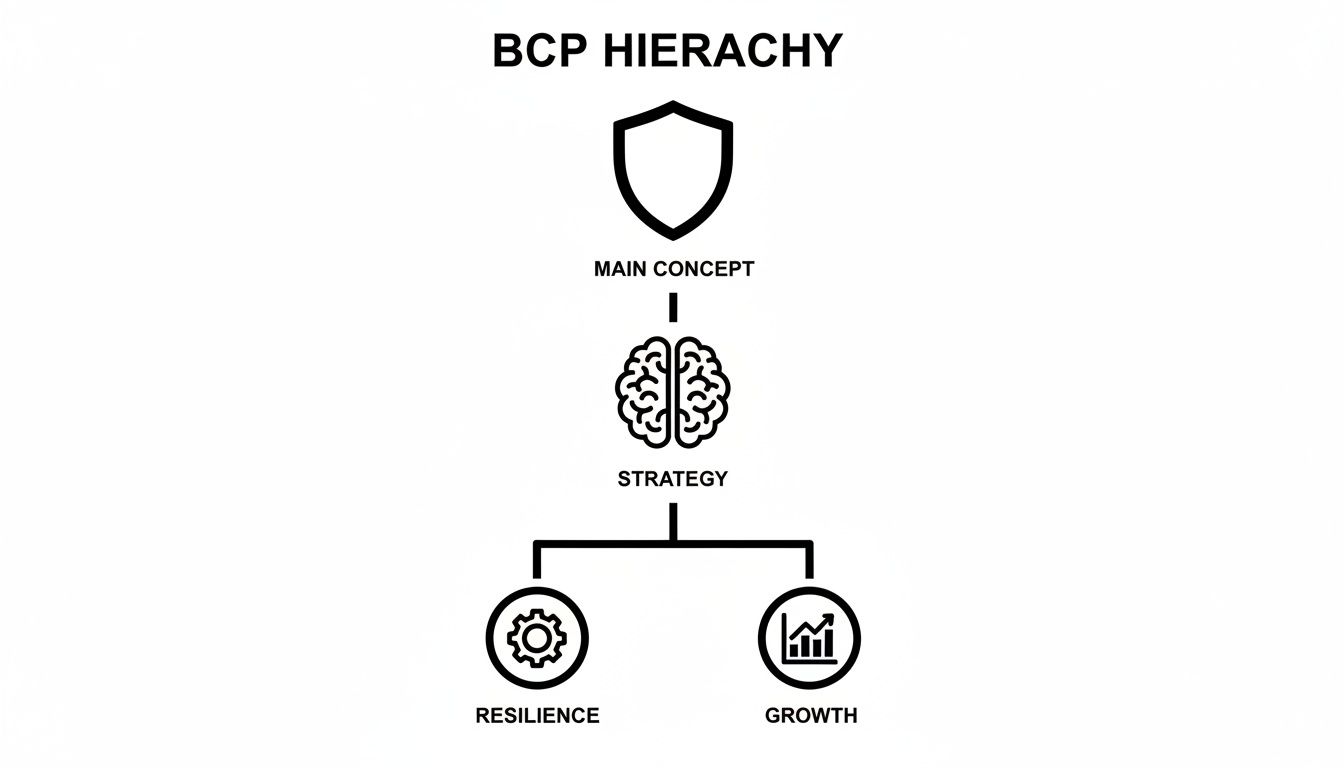
As the diagram shows, a solid BCP is more than just disaster recovery—it's a forward-looking strategy that combines defensive actions with growth-oriented goals.
Quantifying the Real Cost of Downtime
The next phase of your BIA is to attach real numbers to potential disruptions. What does an hour of downtime actually cost your business? This calculation goes far beyond immediate lost sales. It’s about understanding the ripple effects across your entire operation.
To quantify the impact, calculate these factors:
- Direct Financial Losses: Tally lost revenue, missed production targets, and idle employee wages.
- Reputational Harm: Estimate the cost of customer churn. How many clients would you lose if you were down for a day? A week?
- Regulatory Fines: Research the specific penalties under regulations like HIPAA or FINRA for a data availability failure.
- Contractual Penalties: Review your Service Level Agreements (SLAs) and identify the exact penalties for failing to meet uptime guarantees.
Getting this financial clarity is what helps justify the investment in business continuity. It shifts the conversation from a hypothetical "what if" to a tangible "this is what we stand to lose."
This growing awareness is reflected in market trends. The global business continuity management planning solution market was valued at US$720.5 million and is projected to hit US$3.31 billion by 2034, growing at a staggering 16.5% CAGR. Organizations are clearly taking resilience seriously.
Let's look at how this plays out in a BIA with a simple matrix. Imagine a healthcare clinic trying to prioritize its functions. The goal is to map the impact of an outage against how quickly each function needs to be back online.
BIA Criticality Matrix Example
| Business Function | Impact of Downtime (1-5) | Recovery Time Objective (RTO) | Recovery Point Objective (RPO) | Priority Level |
|---|---|---|---|---|
| Patient Scheduling System | 5 (High) | < 1 Hour | 15 Minutes | Critical |
| Electronic Health Records (EHR) | 5 (High) | < 1 Hour | 5 Minutes | Critical |
| Billing and Invoicing | 4 (Medium-High) | < 4 Hours | 1 Hour | High |
| Internal Communications (Email) | 3 (Medium) | < 24 Hours | 24 Hours | Medium |
| HR and Payroll | 2 (Low-Medium) | < 72 Hours | 24 Hours | Low |
This kind of analysis provides an objective, data-driven way to decide where to focus your recovery efforts first. It's not about gut feelings; it's about the real impact on the business.
Conducting a Practical Risk Assessment
Once you know what's critical, you need to identify the threats that could actually bring those operations down. A risk assessment isn't about planning for every far-fetched scenario. It's about focusing on the plausible dangers your business genuinely faces. The goal is to be prepared, not paranoid.
A practical risk assessment involves categorizing and analyzing threats based on their likelihood and potential impact, which helps you prioritize your defensive efforts.
Your risk assessment should be a living document, not a one-time report. New threats, like sophisticated phishing campaigns or supply chain vulnerabilities, emerge constantly. Schedule a review every quarter to ensure your BCP remains relevant and effective.
Start by brainstorming potential threats across a few key categories:
- Cyber Threats: Ransomware, data breaches, denial-of-service (DDoS) attacks.
- Natural Disasters: Floods, hurricanes, wildfires, or severe storms relevant to your location.
- Technical Failures: Server crashes, power outages, internet service provider disruptions.
- Human-Caused Events: Key personnel unavailability, internal sabotage, or major supply chain failures.
After listing the threats, map them against your critical operations to see where your biggest vulnerabilities lie. For a comprehensive look at this process, check out our guide on creating a cybersecurity risk assessment checklist.
This methodical approach ensures your business continuity plan is built on a solid foundation, ready to face the real-world risks that matter most.
Designing a Recovery Strategy That Actually Works
Okay, you've identified your critical operations and stared down the real-world risks. Now it's time to shift from analysis to action. This is where we build the technical and organizational defenses that form the true backbone of your business continuity plan. After all, a strategy on paper is useless if it falls apart under pressure.
An effective recovery strategy is a blend of smart technology and well-rehearsed human processes. It's not about buying the most expensive tools; it's about having the right tools and a team that knows exactly how to use them when a crisis hits.
Building Your Technical Defenses
The technology you choose is the engine of your recovery. Its one job is to protect your data and restore your systems within the timeframes you already defined in your Business Impact Analysis (BIA). This is where your Recovery Time Objectives (RTOs) and Recovery Point Objectives (RPOs) stop being theoretical metrics and become practical, hard-and-fast benchmarks.
Your RTO is the maximum acceptable downtime you can handle. Your RPO is the maximum amount of data you can afford to lose, measured in time. So if your BIA determined your accounting system needs an RTO of one hour and an RPO of 15 minutes, your backup solution absolutely must be able to meet those demands.
A crucial part of this process involves establishing clear incident management procedures to guide your team's response and eliminate guesswork during a disruption.
Choosing the Right Backup and DR Model
There is no one-size-fits-all solution for backup and disaster recovery (DR). The best approach always depends on your specific RTOs, budget, and operational needs.
Let's break down the most common models I see in the field:
- On-Premise: The traditional model of maintaining your own backup hardware and software. It gives you direct control but comes with high capital costs and the full burden of maintenance, security, and upgrades.
- Cloud-Based: Using cloud services like Disaster Recovery as a Service (DRaaS) offers incredible flexibility and scalability. It shifts your spending from a huge capital expense to a predictable operational one and offloads the headache of managing physical hardware.
- Hybrid: This has become the go-to for a reason. A hybrid approach combines the best of both worlds. You keep recent backups on-site for lightning-fast local restores while replicating critical data to the cloud for off-site protection against a major disaster like a fire or flood.
For most businesses I work with, a hybrid or fully cloud-based strategy offers the best balance of speed, security, and cost. It provides the redundancy needed to survive a site-wide disaster without requiring you to build and maintain a duplicate data center.
It's also important to understand the nuances between different cloud solutions. For instance, knowing the difference between cloud backup and sync can dramatically impact your recovery capabilities. You can get into the weeds on that topic in our article on cloud backup versus synchronization differences.
The Human Element: Your Organizational Controls
Technology alone can't save your business. People execute the plan. Your organizational controls are the human-centric processes that ensure a coordinated, calm, and effective response when everything is on fire.
This starts with a simple question: who does what?
Defining Incident Response Roles
In a crisis, ambiguity is the enemy. Every second wasted figuring out who's in charge is a second that the disruption deepens. A pre-defined Incident Response Team is non-negotiable.
- Incident Commander: The single point of contact who leads the response, makes the tough calls, and coordinates all team efforts. This person owns the incident.
- Technical Lead: Responsible for assessing the IT impact, initiating DR procedures, and leading the hands-on technical recovery team.
- Communications Lead: Manages all internal and external messaging. Their job is to keep employees, customers, and stakeholders informed with a consistent, accurate message.
- Department Liaisons: Key representatives from critical business units (like finance or operations) who report on the impact to their teams and coordinate departmental recovery tasks.
Real-World Scenario: A Ransomware Attack
Let's make this real. Imagine your manufacturing firm gets hit with ransomware at 2:00 AM. Your core production systems are encrypted and totally locked down.
Here’s how a well-designed recovery strategy plays out in real time:
- Detection and Alert: Your Endpoint Detection and Response (EDR) system automatically spots the malicious encryption activity and alerts the on-call Technical Lead. Critically, the system also isolates the infected servers to stop the ransomware from spreading.
- Team Activation: The Technical Lead immediately notifies the Incident Commander, who activates the full Incident Response Team through a pre-established emergency communication channel (like a dedicated Signal group or conference bridge).
- Technical Response: The technical team, following their DR playbook, begins restoring the affected systems from clean, off-site cloud backups. They focus first on the systems marked as "Critical" in the BIA to meet those aggressive RTOs.
- Crisis Communication: At the same time, the Communications Lead drafts an internal update for all employees, explaining that IT systems are down and providing clear instructions. They also prepare a statement for key clients, assuring them the situation is under control and their data is secure.
This coordinated response—powered by the right technology and clear roles—contains the threat and kicks off recovery within minutes, not days. It transforms a potential catastrophe into a manageable incident, proving the immense value of your business continuity planning.
Putting Your Plan to the Test Before a Disaster Does
A business continuity plan that just sits on a shelf is nothing more than a well-intentioned theory. To turn it into a reliable, real-world defense, you have to move from planning to practice. An untested plan is a huge gamble, and the stakes are incredibly high.
The reality is stark. Even with a BCP in hand, a staggering 40% of businesses never reopen after a major disruption, and another 25% collapse within a year. Despite this, only 49% of mid-sized businesses globally even have a documented plan, and far fewer actually test it, according to recent findings. You can read more about these business continuity statistics on novatech.net.
This is where testing becomes one of the most critical business continuity planning steps. It's how you find the gaps, fix the flaws, and build the muscle memory your team needs to perform under extreme pressure.

Choosing the Right Type of Exercise
Testing doesn't have to mean shutting down your entire operation for a day. The goal is to choose an exercise that matches your company's maturity level and specific objectives. Each type of test offers a different level of intensity and insight.
You can think of these tests as a progression, starting simple and building toward more complex, real-world scenarios.
- Walk-Throughs: Gather key team members to verbally walk through the plan step-by-step. The goal is simple: make sure it makes logical sense and everyone understands their initial roles.
- Tabletop Exercises: Present a specific crisis scenario to your incident response team. For example: "A key cloud provider has a major outage, cutting off access to our CRM. What do we do right now?"
- Simulations: Get hands-on. Have your technical team actually restore a non-critical server from a backup or test a failover system to see if it works as expected.
- Full-Scale Drills: The most comprehensive test, mimicking a real disaster as closely as possible. This could involve activating your alternate work site, using backup communication channels, and engaging with external partners.
For most organizations, starting with a tabletop exercise is the perfect first step. It's low-impact but incredibly effective at uncovering procedural gaps and communication breakdowns you never knew you had.
Running a Smooth and Effective Drill
The whole point of a BCP drill is to learn, not to cause another disruption. With a bit of planning, you can validate your strategy without bringing daily business to a halt.
A successful drill needs structure. It’s not just about getting people in a room; it’s about guiding them through a realistic event to see how your documented plan holds up under pressure.
Here’s a simple framework for running a tabletop exercise:
- Set a Clear Scenario: Be specific. Instead of a generic "power outage," try "A construction crew accidentally severed the primary fiber optic line to our building at 10:00 AM on a Tuesday. We have zero internet connectivity."
- Assign a Facilitator: One person should lead the exercise, present new information ("The provider now says it could be 8 hours until service is restored"), and keep the team focused.
- Document Everything: Have a dedicated scribe take detailed notes. Record who made what decision, what parts of the plan were actually used, and where the team struggled or went off-script.
- Focus on Process, Not Blame: Create a safe environment where team members can identify weaknesses without fear of criticism. The plan is being tested, not the people.
The most valuable lesson from a BCP drill is often discovering what doesn't work. A failed test that leads to a stronger plan is a massive success. A "perfect" test might just mean your scenario wasn't challenging enough.
Turning Lessons Learned into Action
The drill isn't over when the scenario ends. The real work begins with the post-mortem, where you analyze what happened and feed those insights right back into your plan. This continuous cycle of testing and refinement is what builds true organizational resilience.
Your post-exercise report should clearly outline three things:
- What Went Well: Acknowledge the strengths. Did the communication plan work? Was the team able to locate critical documents quickly?
- What Were the Gaps: Identify the weaknesses without sugarcoating. Did anyone know who the Incident Commander was? Was the backup data actually accessible? Was a key vendor's contact information outdated?
- Actionable Next Steps: For every gap identified, assign a specific, measurable action item to a person or team with a clear deadline. For example, "The IT department will update all vendor emergency contact information by this Friday."
This feedback loop is non-negotiable. Without it, you’re just repeating the same mistakes, hoping for a different outcome during a real crisis. Testing transforms your BCP from a static document into a living, evolving strategy that’s ready for whatever comes next.
Aligning Your BCP with Industry Compliance Demands
A generic business continuity plan is a good starting point, but it's not enough if you're in a regulated field. For these industries, a BCP isn't just about getting back online—it’s a critical piece of your compliance puzzle.
Failing to line up your recovery plan with legal and regulatory rules can lead to crippling fines, legal trouble, and a complete loss of client trust. This is about weaving your industry's specific demands into every step of your plan, ensuring that even in a crisis, you remain a compliant and trustworthy guardian of sensitive data.
Healthcare and HIPAA Requirements
For anyone in healthcare, the Health Insurance Portability and Accountability Act (HIPAA) is non-negotiable. The HIPAA Security Rule doesn't just suggest a contingency plan; it mandates one.
Your BCP must ensure the confidentiality, integrity, and availability of electronic protected health information (ePHI) no matter what.
Here's how to make that actionable in your BCP:
- Data Backup and Storage: Your backup solutions must be HIPAA-compliant. This means all stored ePHI must be encrypted, both in transit and at rest.
- Emergency Mode Operation Plan: This is a specific HIPAA requirement. Document a clear process for protecting ePHI and continuing patient care while your main systems are down. This could mean using paper records temporarily, but you need a plan for securing that data and getting it back into the system later.
- Testing and Revision: You're required to test your plan regularly. A tabletop exercise simulating a ransomware attack on your Electronic Health Records (EHR) system is the perfect way to validate that your emergency operations and data recovery processes actually work.
Legal and Client Confidentiality
Law firms are bound by a strict code of ethics demanding absolute client confidentiality. While there isn't a single regulation as prescriptive as HIPAA, a failure to protect case files, discovery documents, and client emails during a disruption can lead to serious ethical and legal trouble.
Your BCP's top priority has to be the security of this sensitive information. This means your recovery strategy can't accidentally expose client data. For example, using an unsecured public Wi-Fi network to access cloud-based case files from a temporary office would be a massive mistake. The entire focus is on maintaining a secure chain of custody for all client data, even during a full-scale disaster.
Financial Services FINRA and PCI-DSS
The financial services world is wrapped in a web of regulations, including rules from the Financial Industry Regulatory Authority (FINRA) and the Payment Card Industry Data Security Standard (PCI-DSS). These rules demand near-constant availability and rock-solid security for transactions and customer data.
For a financial firm, downtime isn't just lost revenue—it's a direct threat to market stability and client trust. Regulators expect a BCP that ensures critical operations can be restored almost immediately, with zero data loss.
Your plan has to be built for this reality:
- Aggressive RTOs and RPOs: For critical trading or transaction systems, your Recovery Time Objective (RTO) might be near-zero. Your plan must be built around tech like high-availability clustering and real-time data replication to hit those targets.
- Secure Recovery Environment: Any disaster recovery site or cloud environment has to meet the same strict PCI-DSS controls as your primary one. You can’t failover to a less secure system.
- Vendor Resilience: Regulators are looking closer at third-party risk. Your BCP must include plans for what happens if one of your key vendors, like a cloud provider or data processor, goes down.
For a deeper dive, check out our guide on demystifying industry-specific IT compliance, which breaks down these regulations in more detail.
Manufacturing and Operational Technology
Manufacturing brings a unique challenge: the merger of Information Technology (IT) and Operational Technology (OT). OT systems—the hardware and software controlling machinery on the factory floor—are often the most critical assets, yet they can be forgotten in traditional IT-focused BCPs.
An OT disruption can shut down production completely, causing huge financial losses. Your BCP must integrate both worlds. This means having recovery plans not just for your enterprise systems (like ERP) but also for the industrial control systems (ICS) that run your plant. The key is making sure that when you bring IT systems back online, they can talk to the OT environment correctly without creating new security holes or operational glitches.
Common BCP Questions Answered
Even with a solid plan in hand, some questions always pop up when you're in the thick of it. Let's tackle a few of the most common ones I hear from clients to help clear up any confusion and keep you moving forward.
How Often Should We Test Our Business Continuity Plan?
The standard answer is to run at least one big test, like a tabletop exercise, every year. But if you only look at your BCP once annually, you're making a huge mistake. A BCP isn't a document you frame and hang on the wall; it's a living strategy.
I always advise clients to perform quarterly check-ins on the most dynamic parts of the plan. This includes things like emergency contact lists, vendor agreements, and who’s assigned to what role. Things change faster than you think.
More importantly, your plan needs a full review anytime you make a significant operational or technical change. Did you just migrate to a new cloud provider? Roll out new core software? Move offices? Each of those events introduces new risks and variables that have to be tested.
What Is the Difference Between Business Continuity and Disaster Recovery?
This is a big point of confusion, but the distinction is critical. The easiest way to think about it is that Disaster Recovery (DR) is one essential ingredient in the much broader recipe of Business Continuity (BC).
Disaster Recovery (DR) is purely technical and tactical. Its entire mission is to get your IT infrastructure, systems, and data back online after something goes wrong. DR answers the question, "How do we get our tech working again?"
Business Continuity (BC) is the high-level business strategy. It includes DR but also covers everything else needed to keep the lights on—your people, physical locations, supply chain, and how you communicate with customers. BC answers the bigger question, "How do we keep serving clients and making money through the disruption?"
A successful DR plan might restore your servers, but a successful BC plan ensures your employees can actually use those servers from a different location to do their jobs, all while keeping clients in the loop.
Can a Small Business Afford a Real Business Continuity Plan?
Absolutely. In fact, small businesses can least afford not to have a plan. They often have the most to lose from a prolonged outage. The notion that BCP is a luxury reserved for massive enterprises with huge budgets is completely outdated.
Modern cloud technology has leveled the playing field, making powerful continuity solutions affordable for any size organization. Instead of sinking a ton of capital into duplicate hardware and a secondary physical site, small businesses can now use services like cloud-based backup and Disaster Recovery as a Service (DRaaS) for a predictable monthly fee.
The key is to start with the Business Impact Analysis (BIA) we covered earlier. The BIA is your roadmap for focusing limited resources on protecting what truly matters. It helps you build a smart, effective, and budget-conscious plan without trying to boil the ocean.
At CitySource Solutions, we transform IT into a reliable platform for continuity and growth. Our security-first managed services, tailored for industries like healthcare, legal, and finance, ensure your business is resilient and ready for whatever comes next. Learn how we can help you build a BCP that works.