
Choosing between cloud and on-premise infrastructure isn't just a technical debate—it's a critical business decision that defines your budget, security posture, and ability to grow. The right path comes down to a strategic trade-off: Cloud delivers flexibility and scalability on a pay-as-you-go basis, while on-premise provides direct control and predictable, fixed costs.
Your ideal strategy depends entirely on a practical assessment of your needs for budget, security, and future growth. This guide provides the actionable insights you need to make the right choice.
The Strategic Choice Cloud Or On Premise Infrastructure
Picking between cloud and on-premise infrastructure ripples through your entire organization, impacting everything from budget allocation and team workload to your compliance posture. It's a choice that defines how your business operates.
Many organizations I've worked with find that the best solution isn't strictly one or the other. Instead, they land on a balanced hybrid model that pulls the best from both worlds.
This guide provides a detailed cloud vs on premise comparison to help you make an informed, strategic choice. We’ll cut through the marketing fluff to analyze the real-world implications for your business, especially if you're in a highly regulated sector like healthcare, finance, or law where the stakes are much higher.
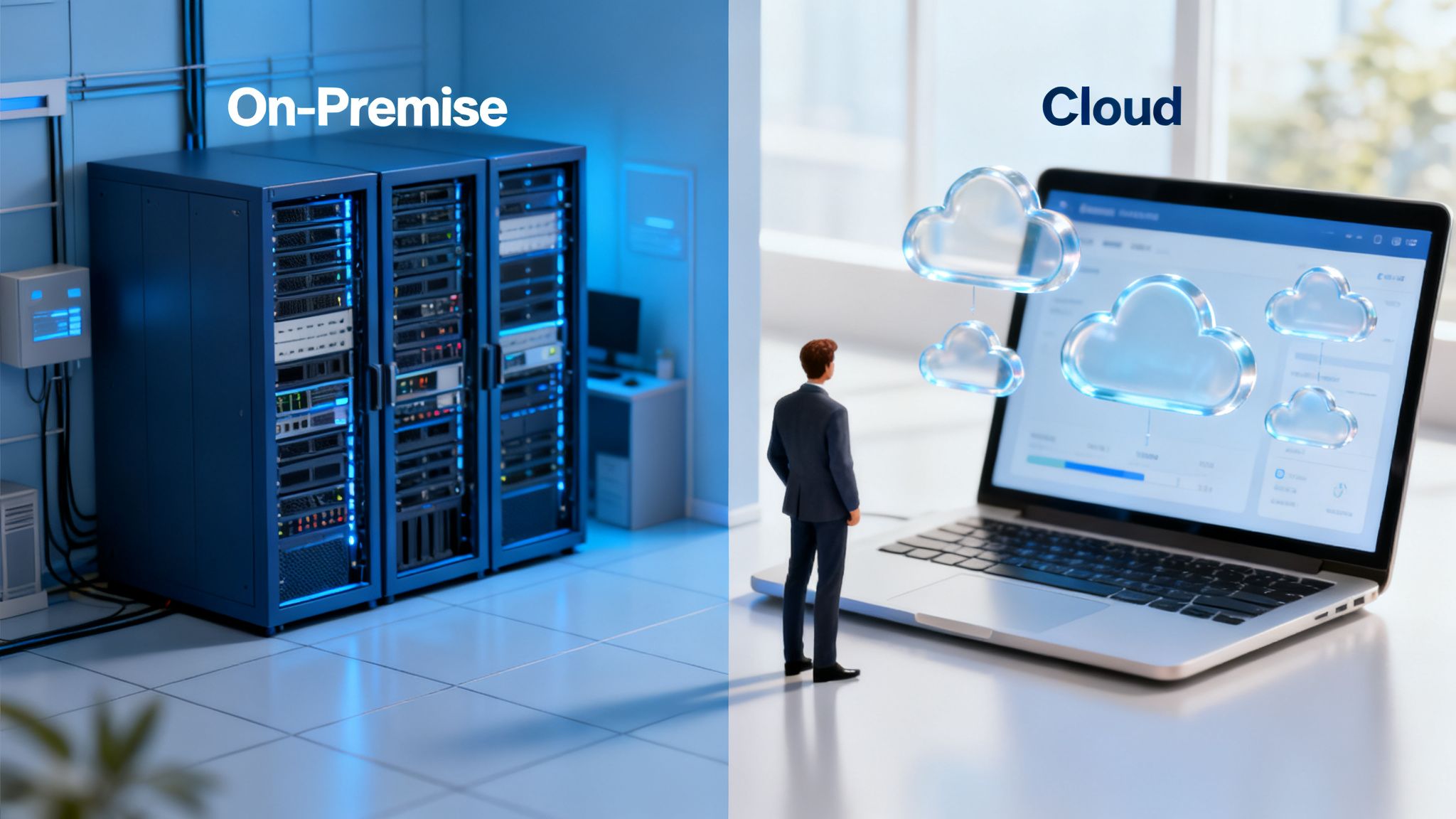
Quick Look Cloud vs On Premise Key Differentiators
Before we get into the weeds, let's start with a high-level overview. Use this table to quickly map the core distinctions to your business priorities.
| Factor | Cloud Infrastructure | On Premise Infrastructure |
|---|---|---|
| Cost Model | Operational Expense (OpEx) with pay-as-you-go pricing. | Capital Expense (CapEx) with high upfront hardware costs. |
| Scalability | On-demand and near-infinite scalability, both up or down. | Limited by physical hardware; requires manual upgrades. |
| Management | Managed by the cloud provider (shared responsibility model). | Entirely managed by your in-house IT team or a partner. |
| Security | Shared responsibility; provider secures the infrastructure fabric. | Your team is 100% responsible for all security layers. |
| Compliance | Providers offer compliant environments (HIPAA, PCI). | Your organization must build and maintain compliance from scratch. |
| Accessibility | Accessible from anywhere with an internet connection. | Typically limited to the physical location or via VPN. |
This isn't about which model is inherently "better." It's about which one better aligns with your business's operational reality, risk tolerance, and long-term goals.
The trend toward cloud adoption is accelerating for a reason. In 2025, worldwide end-user spending on public cloud services is projected to hit $723.4 billion, a jump of 21.5% from 2024. This massive growth shows how businesses are shifting away from traditional setups to gain efficiency and the ability to scale on a dime. This is a critical factor for healthcare providers needing HIPAA compliance or financial firms aligning with FINRA.
Before settling on a path, it’s worth exploring a comprehensive comparison of on-premises and cloud infrastructure. Having a trusted IT partner can help you navigate this complex landscape, ensuring your final decision supports your business goals without ever compromising on security or compliance.
A Practical Breakdown of Total Cost of Ownership
When you’re weighing cloud vs. on-premise, the classic CapEx vs. OpEx debate is just scratching the surface. To really understand the financial impact, you need to dig into the Total Cost of Ownership (TCO), which uncovers all the hidden expenses that get missed in a simple price tag comparison.
On-premise infrastructure starts with a big, upfront capital expense (CapEx). You buy the servers, the networking gear, and the software licenses. But that’s just the beginning of the story.

Uncovering The Hidden Costs Of On-Premise
The initial purchase price is the tip of the iceberg. A true on-premise TCO has to include all the operational costs that keep the lights on and the system running securely.
Imagine a manufacturing firm thinking about the long-term cost of its server room. The full financial picture isn’t just the hardware. It's also:
- Physical Space and Utilities: You're paying for the real estate the server room occupies, plus the massive, non-stop electricity bills for power and specialized cooling.
- Maintenance and Upgrades: Hardware breaks. Software needs patches. This means paying for replacement parts, warranty extensions, and the unavoidable hardware refresh cycle every 3-5 years.
- Specialized Staffing: You need skilled IT pros to manage, secure, and troubleshoot the infrastructure. That’s a significant, ongoing salary expense.
- Physical Security: Securing the server room itself—with access controls, cameras, and environmental sensors—adds another layer of cost.
These extra costs can easily double the initial hardware investment over the equipment’s lifespan.
Analyzing The Cloud's Financial Model
The cloud flips the script to an operational expense (OpEx) model. You pay a recurring subscription fee for the resources you consume, turning a huge capital outlay into a predictable monthly bill. This is a huge win for businesses like a law firm trying to keep a steady budget.
But the cloud isn't a blank check. The cost dynamics are shifting; cloud now captures 29% of typical IT budgets exclusively, and companies plan to allocate 80% of IT hosting spend to cloud services soon. This model helps SMBs save a lot, with 36% spending up to $600K annually on cloud services that are cheaper than running their own gear.
Actionable Insight: The biggest financial risk in the cloud isn’t the subscription model—it’s unmanaged consumption. To avoid budget shock, you must implement cost governance from day one. Set budgets, create alerts for spending spikes, and assign cost ownership to teams.
Avoiding Unexpected Cloud Expenses
While the cloud offers incredible financial flexibility, it introduces variables that demand active management. Without a watchful eye, costs can spiral fast.
Here are the key culprits to monitor and control:
- Data Egress Fees: Many providers charge you for data transferred out of their cloud. Action Step: Analyze your data flow patterns before migrating. If you move large datasets frequently, model these costs or choose a provider with more favorable egress pricing.
- Overprovisioning: This is a classic mistake—allocating more CPU, RAM, or storage than an application actually needs. Action Step: Use cloud monitoring tools to right-size your instances based on actual utilization data, not guesswork.
- Idle Resources: Spinning up virtual machines for a temporary project and forgetting to shut them down is like leaving the lights on in an empty office building. Action Step: Implement automated scripts to shut down development environments nightly and enforce tagging policies to identify and decommission unused resources.
Getting a handle on cloud spending is a discipline called FinOps. It’s all about creating visibility, setting controls, and optimizing how you use resources. As you weigh your options, it's worth digging into effective cloud cost optimization strategies to make sure your investment is actually paying off. A managed services partner can put these FinOps principles into practice, turning your cloud from a potential budget black hole into a predictable and efficient asset.
Navigating The Security And Compliance Landscape
For any business in a regulated field—think finance, healthcare, or legal services—security isn't just another line item. It's the entire foundation of trust and operational survival. A huge part of the cloud vs on premise comparison revolves around an old myth: that on-premise is safer just because you can physically touch the servers. That thinking is seriously outdated and misses the point of modern cybersecurity entirely.
The truth is, security isn't about where your data lives; it's about how well you protect it. Whether you go with cloud, on-premise, or a hybrid setup, hitting compliance mandates like HIPAA, PCI-DSS, and FINRA demands a smart, multi-layered security strategy.
The Cloud And The Shared Responsibility Model
Moving to the cloud doesn't mean you're outsourcing security. You're actually entering a partnership defined by the shared responsibility model. The big cloud providers like Microsoft Azure pour billions of dollars every year into their security infrastructure, staff, and compliance certifications—an investment no single business could ever dream of matching.
They take care of the security of the cloud. This includes:
- Physical Security: Locking down data centers against intruders, fires, floods, and power outages.
- Infrastructure Security: Protecting the core network, servers, and storage hardware that powers everything.
- Hypervisor Security: Making sure the virtualization layer that keeps customer environments separate is ironclad.
But here’s the critical part: you are still responsible for securing your data and workloads in the cloud. That means you own the configuration of access controls, user permissions, data encryption, and the security of your own operating systems and applications.
Actionable Insight: Don't mistake the shared responsibility model for a free pass. It’s a framework designed to let you focus your security efforts where they count the most—on your specific data and apps—while the provider handles the heavy lifting of foundational security.
On-Premise: The Full Burden Of Security
When you run an on-premise environment, the security responsibility is 100% on your shoulders. This gives you total control, which sounds great, but it also means you carry the entire weight of designing, implementing, and maintaining every single security layer.
This covers everything from the physical locks on the server room door to the most sophisticated threat detection software. You are solely accountable for every facet of security, a job that requires deep, specialized expertise and constant watchfulness. Many of the same principles covered in cloud security best practices can be applied here, but you're the one doing all the work.
To really nail down this difference, let's look at how the responsibilities stack up.
Compliance Responsibility Cloud vs On Premise
The table below breaks down who handles what in each model. Notice how "cloud" doesn't mean "hands-off"—it means your focus shifts from the physical and foundational layers to the application and data layers.
| Compliance Task | Cloud (Shared Responsibility) | On Premise (Business Responsibility) |
|---|---|---|
| Data Encryption (At Rest) | Provider offers encryption tools; you must enable and configure them properly. | You must research, buy, implement, and manage all encryption solutions from scratch. |
| Data Encryption (In Transit) | Provider secures traffic within their network; you secure traffic to and from the cloud. | You are responsible for securing all internal and external network traffic, end-to-end. |
| Access Control & IAM | Provider gives you powerful IAM tools; you must configure user roles and permissions. | You have to build, integrate, and maintain the entire Identity and Access Management system. |
| Physical Security | Provider manages data center security (biometrics, guards, surveillance). | You must secure your own server room, including access control, cameras, and environmental monitoring. |
Ultimately, the cloud provider gives you the secure building blocks, but it's still up to you to build a secure house. With on-premise, you're responsible for manufacturing the bricks, too.
Transforming Compliance From A Checkbox To A Reality
Meeting compliance standards like HIPAA or NY SHIELD isn't a one-and-done project. It's an ongoing operational marathon. The right infrastructure choice is the one that makes this marathon easier, not harder.
No matter if you choose cloud or on-premise, adding managed security services is the most practical way to turn compliance rules into a strong, real-world defense. Services like a 24/7 Security Operations Center (SOC) deliver the kind of constant monitoring and threat hunting that most internal teams just can't sustain.
Likewise, a managed Security Information and Event Management (SIEM) system pulls in security data from your entire environment—cloud and on-premise—to spot suspicious patterns. Adopting a Zero Trust architecture, where no user or device is trusted by default, hardens your defenses even further. These services shift your security from being reactive to proactive, ensuring you're not just compliant on paper, but genuinely secure in practice.
Performance, Scalability, and Availability: Where the Models Diverge
When you get down to performance, scalability, and availability, the differences between cloud and on-premise become incredibly clear. These three pillars have a direct line to your user experience and, just as importantly, your ability to grow. While you can technically achieve high performance in either model, the way each one handles scaling and uptime couldn't be more different.
Cloud infrastructure was designed from day one to be elastic. It lets you add or remove resources—CPU, memory, storage—almost instantly, and you only pay for what you actually use. For any business with fluctuating demand, this on-demand model is a total game-changer.
On-premise, on the other hand, is inherently rigid. Your capacity is locked into the physical hardware you own. If you suddenly need more power, you're stuck buying, installing, and configuring new servers. That’s a process that can easily take weeks, if not months.
Real-World Scalability in Action
Let’s look at a healthcare provider during its annual open enrollment period. Their patient portal typically handles a predictable amount of traffic, but for a few weeks, it gets hit with a massive surge as thousands of people try to sign up for new plans.
In a cloud environment: The system can be configured to automatically scale out, spinning up new virtual servers to handle the intense load. As soon as enrollment ends and traffic drops, those extra resources are shut down, and the costs go right back to normal. Performance stays smooth, and users never notice a thing.
In an on-premise environment: The provider has two bad options. They can overprovision their hardware to handle that peak demand all year long, meaning they pay for and maintain expensive servers that sit idle for 90% of the year. Or, they can risk the entire system crashing during their most critical business window.
Actionable Insight: Don't just plan for growth; plan for elasticity. Identify workloads with variable demand (like e-commerce sites or analytics platforms) as prime candidates for the cloud. This lets you pay for peak performance only when you need it.
Ensuring Uptime and High Availability
High availability is all about keeping a system running continuously without failure. In the cloud, this is built right into the architecture through redundancy. Major cloud providers operate multiple data centers across different geographic regions. If one goes down, your services can automatically failover to another location with almost no disruption.
Most providers will even guarantee this with a financially-backed Service Level Agreement (SLA), often promising 99.9% uptime or more. This completely shifts the operational headache of engineering complex, redundant systems from your team to the provider. The specifics can also depend on your architecture; you can learn more about how single vs. multi-tenancy cloud models play a role here.
Trying to achieve that same level of availability on-premise is a massive and expensive project. It means building and maintaining at least two completely mirrored data centers in separate locations, each with its own redundant power, cooling, networking, and servers.
Disaster Recovery Scenarios
This stark contrast carries right over to disaster recovery (DR). A solid DR plan is non-negotiable for business continuity, but how you get there is wildly different between the two models.
Cloud-Based Disaster Recovery:
- Geo-Redundancy: Easily replicate your data and applications across multiple geographic regions with just a few clicks.
- Automated Failover: Configure your systems to automatically switch over to a secondary site if an outage occurs.
- Faster Recovery Times: Drastically shorten your Recovery Time Objective (RTO) and Recovery Point Objective (RPO) compared to old-school methods.
On-Premise Disaster Recovery:
- High Capital Costs: You’re on the hook for buying and maintaining a complete duplicate set of hardware at a separate physical site.
- Resource-Intensive: It demands a significant amount of ongoing work from your IT team to test, manage, and keep the DR site synchronized.
- Slower Recovery: Failovers often require manual intervention, leading to much longer periods of costly downtime.
No matter which path you choose, proactive monitoring is non-negotiable. Whether you’re in the cloud or on-premise, using monitoring tools to track performance metrics is the only way to spot potential issues before they cause an outage and maintain a truly reliable infrastructure.
Finding The Right Balance With A Hybrid Strategy
The whole cloud vs. on-premise debate often forces a false choice. For most businesses, the smartest, most practical solution isn’t picking one side—it's blending the strengths of both. This is exactly what a hybrid strategy does, creating a model built for flexibility, control, and real-world resilience.
Instead of a risky all-or-nothing migration, a hybrid approach lets you place workloads where they genuinely make the most sense. You get to balance the raw scalability and speed of the cloud with the absolute control and lockdown security of your own on-premise infrastructure.
Actionable Hybrid Use Cases
A hybrid model isn't just theory; it’s a practical solution to specific operational challenges across countless industries, all without forcing compromises on security or performance.
Just look at these real-world examples:
Financial Services: A trading firm can keep its ultra-sensitive client data and core transaction systems on secure, air-gapped on-premise servers to satisfy strict FINRA rules. At the same time, it can spin up a public cloud environment to build and test new customer-facing apps, taking advantage of rapid development tools without ever exposing critical data.
Manufacturing: A factory might run its operational technology (OT) and IoT devices on-premise to guarantee millisecond-level response times and total control over production. That operational data can then be securely streamed to a cloud analytics platform for business intelligence, predictive maintenance analysis, and supply chain optimization.
These scenarios prove hybrid isn’t a compromise; it's a strategic advantage. It lets you innovate fast where you need speed and lock down data where you need absolute control.
The Strategic Benefits Of A Hybrid Approach
Going hybrid delivers more than just technical flexibility. It offers huge business advantages that resolve the core tensions of the cloud vs. on-premise argument. One of the biggest wins is avoiding vendor lock-in. By keeping control over part of your infrastructure, you retain the freedom to move workloads between environments as your costs or business needs change.
This balanced approach has become the new normal for a reason. In fact, 32% of organizations are already running a mix of cloud and on-premise resources, with another 27% planning to adopt a hybrid model in 2025. This trend solves the central conflict: you get the cloud's agility while keeping the control you need for compliance. For nonprofits on tight budgets, healthcare clinics under HIPAA, or manufacturers securing OT, this fusion offers the best of both worlds. You can find more on this trend in the Parallels Cloud Report.
Actionable Insight: A well-designed hybrid strategy is your IT escape hatch. It prevents you from being cornered by a single provider's pricing, policies, or technology roadmap, giving you long-term architectural freedom.
But designing and managing a seamless hybrid environment takes real expertise. The goal is to create a unified infrastructure where operations, security monitoring, and data flow are consistent, no matter where they live. An experienced IT partner can architect this integration, ensuring your on-premise and cloud environments work as a single, cohesive system—not two disconnected silos. This unified management is what turns a hybrid concept into a powerful operational reality.
Your Decision Framework For Choosing The Right Path
Making the final call between cloud and on-premise means moving beyond the technical specs. You need to ask strategic questions that connect your infrastructure directly to your business goals.
The right path isn’t about picking the “best” technology. It’s about finding the best fit for your operational reality, compliance mandates, and long-term growth. This framework is built to bring clarity to that choice. Work through these questions with your team, and you’ll build a solid business case for a model that serves you for the next three to five years.
Key Questions To Guide Your Decision
Before you commit, get your stakeholders in a room and hash out these fundamental points. The answers will quickly point you in the most logical direction.
What are our non-negotiable compliance needs? If you handle data governed by HIPAA, FINRA, or PCI-DSS, how will each model help you prove compliance? Think about the internal expertise needed to manage this on-premise versus leaning on a cloud provider's certified environment.
Where do we anticipate needing to scale? Consider predictable cycles, like open enrollment in healthcare, alongside unpredictable growth. Does your business model demand the ability to ramp resources up and down instantly, or is your growth steady enough for planned hardware purchases?
Do we have the in-house expertise for 24/7 management? On-premise infrastructure requires deep knowledge of networking, server maintenance, and physical security. Be honest about your team’s capacity and skill set to manage this around the clock.
This decision tree gives you a visual for how to line up your core needs—whether it’s security, scalability, or a mix of both—with the right infrastructure strategy.
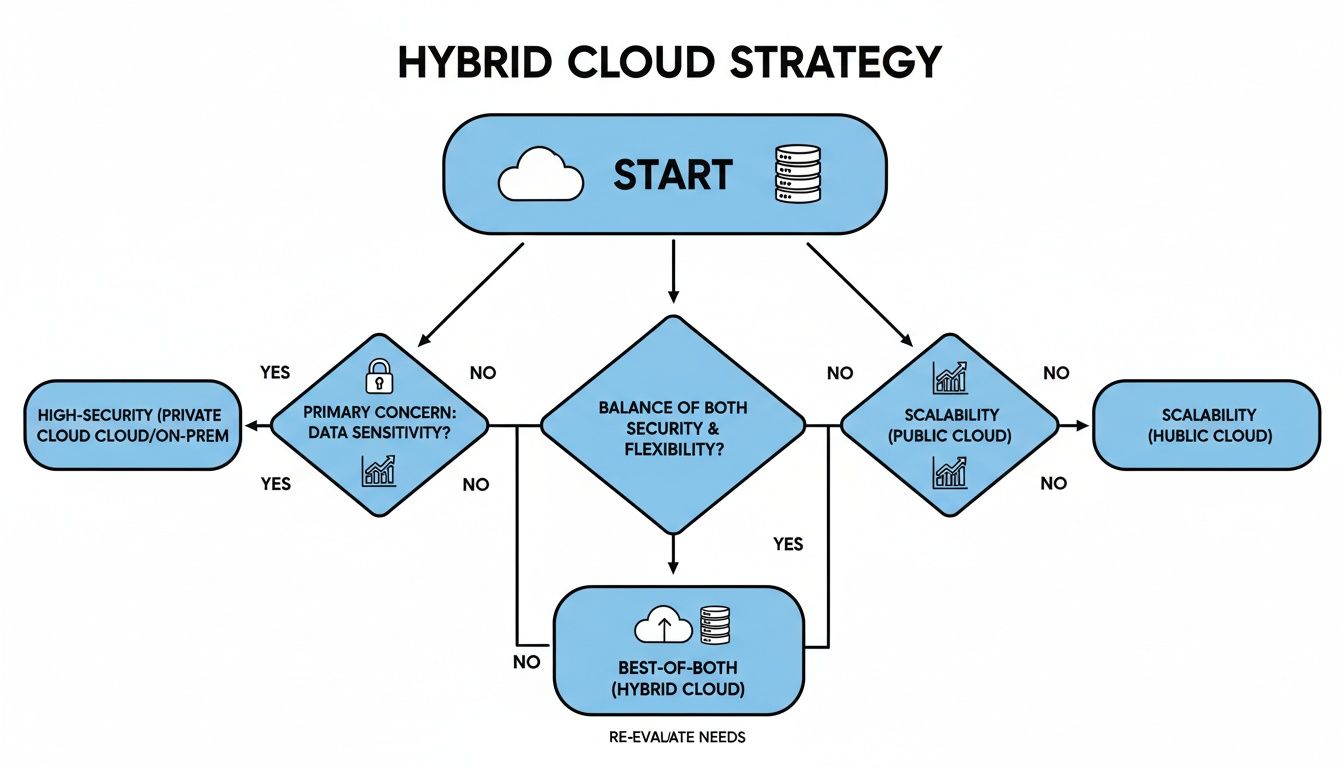
As the chart shows, a hybrid model often becomes the default choice. It’s for organizations that can't compromise on security but still need the agility to grow. It’s a practical path that avoids forcing a difficult all-or-nothing decision.
Scenarios For The Optimal Choice
Your answers to those questions will probably steer you toward one of these three scenarios. Use them as a final gut check.
When to Choose On-Premise: Ideal for organizations with highly sensitive data, strict regulatory requirements that dictate physical data location, and predictable workloads. This model is a great fit if you have the capital and in-house IT expertise to manage the entire infrastructure lifecycle.
When to Choose Cloud: The best choice for businesses needing rapid scalability, global reach, and a predictable OpEx model. It's perfect for dynamic workloads, fast-growing companies, and organizations looking to offload their internal IT management burden.
When to Choose Hybrid: This is the pragmatic solution for most businesses today. It lets you secure sensitive data on-premise while using the cloud for development, analytics, or customer-facing applications. This approach gives you maximum flexibility and resilience.
Ultimately, this choice is just the first step. For a deeper dive into what comes next, check out our guide on building an effective cloud migration strategy selection. A strategic technology partner can help you navigate this framework, ensuring your final infrastructure decision becomes a true catalyst for business growth.
Answering Your Final Questions
When you get down to the brass tacks, a few practical questions always come up. Here are some straight answers to help you lock in the right decision for your business.
Which Is Better For A Small Business With A Limited Budget?
For almost every small business, the cloud is the clear winner on budget. It flips the script from massive upfront capital expenses (CapEx) for hardware to a predictable, pay-as-you-go operational expense (OpEx). You only pay for what you use, which is a lifesaver for cash flow.
Going with the cloud also wipes out the hidden costs of server maintenance, physical security, and the power bills that come with it. Working with a managed service provider can stretch your cloud budget even further, making sure you're not paying for resources you don't need.
Is Migrating From On-Premise To The Cloud Difficult?
It really depends on your setup. A simple "lift-and-shift," where you move applications over as-is, can be fairly straightforward. But to really unlock the power of the cloud—think auto-scaling and serverless functions—you often need to re-architect your applications, which is more involved.
A successful migration comes down to meticulous planning. You need a full infrastructure audit, a clear map of all your application dependencies, and a phased rollout to keep business running smoothly. Partnering with a cloud migration specialist is the best way to de-risk the process; they handle the planning, execution, and support after you go live.
Can I Switch Back To On-Premise If The Cloud Is Not A Good Fit?
Yes, you can. Moving workloads from the cloud back to your own data center is called repatriation. Some businesses explore this if costs, performance, or specific compliance needs don't align with their cloud setup.
The biggest catch with repatriation is the serious planning and brand-new capital investment required. You're essentially building an entire on-premise environment from the ground up, which is a complex and expensive undertaking.
A smarter move is often to adopt a hybrid model right from the start. This gives you the flexibility to place workloads where they make the most sense and adapt as your needs change. It’s a balanced approach that prevents you from getting locked into a single platform, giving you a far more agile and resilient infrastructure for the long haul.
Ready to build an infrastructure that truly supports your business goals? CitySource Solutions provides expert guidance on cloud, on-premise, and hybrid strategies, ensuring your technology is secure, compliant, and built for growth. Learn more about our managed IT and cloud services.