
IT support for architects has to account for workloads that are heavier and more collaborative than standard office computing. CAD and BIM applications, large project files, cloud collaboration, rendering, plotters, and office-to-office access can all expose weak points in workstations, storage, and networks.
For an architecture practice, reliable technology is tied directly to project delivery. Architecture firm IT support should therefore focus on performance, secure file access, backup, collaboration, and fast troubleshooting around the tools designers use every day.
CAD Workstations Need to Match the Work
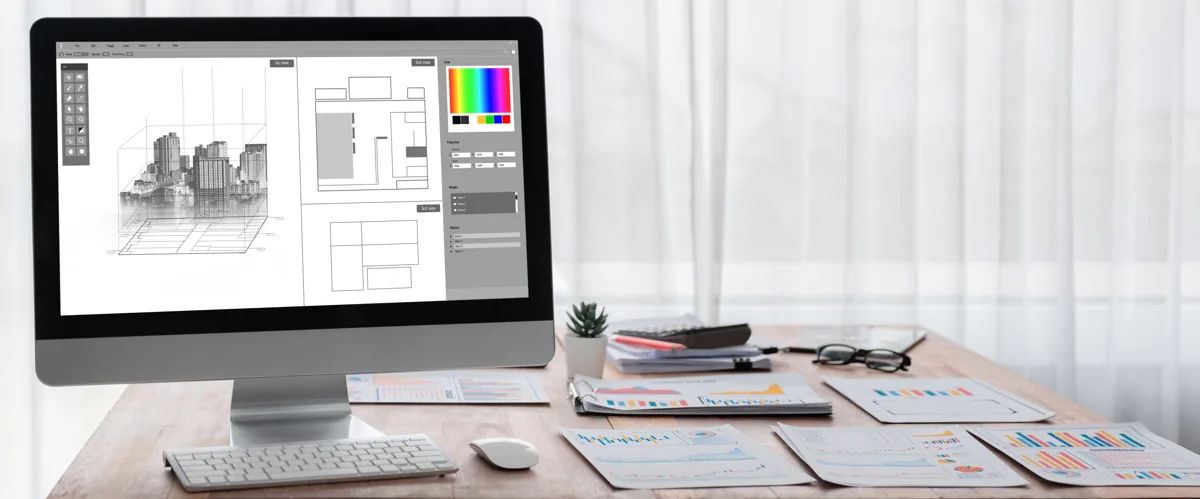
CAD workstation support begins with the applications, model sizes, and rendering work each role performs. A standard office computer may be fine for email and documents but struggle with complex Revit models, AutoCAD files, visualization software, or several design applications open at once.
Autodesk’s Revit 2026 system requirements show how hardware needs rise for larger, more complex models, including higher memory and graphics recommendations. That is why Revit IT support should consider the project workload rather than buying identical hardware for every employee.
Good architecture technology support also includes driver management, operating system compatibility, storage capacity, peripherals, and replacement planning. A workstation that meets requirements on purchase day still needs maintenance and a lifecycle plan as software and project demands change.
Revit and AutoCAD Support Should Include the Environment Around Them
Revit IT support is not only about the application itself. Slow opening, syncing, or saving can involve the workstation, network, cloud connector, permissions, storage path, or a wider service issue. Troubleshooting needs to consider the full workflow.
The same is true for AutoCAD IT support. Users may experience licensing, profile, printer, file-path, or performance problems that look like one software issue but depend on other parts of the environment. A support process should capture the symptoms, affected files, users, recent changes, and network conditions before jumping to a fix.
CitySource Solutions provides dedicated IT support for architects, including CAD IT support, AutoCAD IT support, managed services, cloud services, helpdesk support, and infrastructure guidance for design environments.
Large File Sharing Requires More Than Storage Space
Large file sharing can become a bottleneck when teams work across offices, home connections, consultants, and cloud platforms. Capacity matters, but so do upload speed, latency, permissions, file-locking behavior, version control, and the way project teams collaborate.
Design firm IT services should help establish where project files live, who can access them, how external sharing works, and what happens when connectivity is poor. The aim is to make file access predictable without opening unnecessary security gaps.
Cloud platforms can support collaboration, but the architecture firm still needs clear rules for folders, permissions, ownership, archival, and backup. Large file sharing works better when the process is designed around project teams instead of letting each user create a different workaround.
Network Performance Affects Every Design Workflow
Network support for architects should be treated as part of application performance. Even powerful workstations feel slow when switches, wireless coverage, internet capacity, cabling, or routing cannot keep up with file movement and collaboration.
Start by separating local workstation performance from network performance. Measure whether delays happen while opening local files, accessing shared storage, syncing cloud content, printing, or connecting to remote resources. That distinction helps IT support for architecture firms focus troubleshooting on the correct layer.
CitySource Solutions offers cloud services and low-voltage and network infrastructure as part of its broader service mix. For architecture firms, that connected approach can help align design applications with the systems that move data between users and project locations.
Backups Need to Protect Active and Archived Project Data
Project data can remain valuable long after a design phase ends. Managed IT for architects should include a documented backup and recovery approach for active project data, shared business files, cloud content where needed, and systems that support the practice.
The backup plan should answer four questions: what is protected, how often it is protected, how long it is retained, and how recovery is tested. technology support for architecture teams should also account for file versions because restoring the wrong point in time can create rework even when the backup itself succeeds.
Security Controls Should Not Break Collaboration
Architecture firms share information with employees, clients, engineers, contractors, and other outside parties. Security controls need to protect accounts and files without forcing teams into unsafe workarounds because access is too difficult.
Practical controls include multi-factor authentication, role-based access, timely offboarding, endpoint protection, secure external sharing, patching, and clear admin ownership. IT services for design firms should make these controls part of the normal project workflow rather than an extra step users try to avoid.
Choose Support That Understands Project Pressure
When a deadline is close, a failed plotter, inaccessible model, slow sync, or unstable connection can affect several people at once. managed IT support for architecture firms should include clear escalation, responsive user support, monitoring, and enough context to recognize which issues can delay project work.
A useful support partner should also track recurring incidents. If the same workstation, Wi-Fi zone, file path, or application problem keeps returning, the answer should move from repeated troubleshooting to a planned correction. That is where CAD workstation support and broader IT management should connect.
FAQs About IT Support for Architecture Firms
What should IT support for architecture teams include?
It should cover workstations, CAD and BIM application support, file access, networks, cloud collaboration, backups, cybersecurity, user support, and technology planning. The exact mix depends on the firm’s applications, project sizes, office setup, and collaboration model.
Why do architecture firms need specialized workstation planning?
Design applications can place heavier demands on processors, memory, graphics, and storage than standard office software. CAD workstation planning should match hardware to the applications and model complexity used by each role.
Can IT support improve Revit and AutoCAD performance?
Yes, when the cause is tied to hardware, network conditions, storage, permissions, drivers, cloud connectors, or system configuration. support for Revit environments and support for AutoCAD environments should evaluate the surrounding environment as well as the application.
How can architecture firms make file sharing more reliable?
Set a consistent storage and sharing model, review bandwidth and network performance, control permissions, define external sharing rules, and maintain tested backups. Reliable sharing large project files depends on both the platform and the infrastructure around it.
Support the Systems Behind Your Design Work
Architecture teams need technology that keeps pace with demanding applications and project collaboration. CitySource Solutions supports architecture firms with managed IT, cloud services, helpdesk support, cybersecurity, and infrastructure guidance. Talk with the CitySource Solutions team about improving the performance and reliability of the systems behind your design work.